
I tested ChatGPT, Copilot, Claude, Gemini and Adobe Express to see whether AI can create presentations that are usable in a business setting.
Data from OpenAI suggests Kiwis now send nearly 10 million messages to ChatGPT every day, with more than a third of those interactions related to work. One increasingly common use case is presentation creation.
As someone who designs presentations professionally, I wanted to see how well today's AI tools can create business slides. Rather than testing content accuracy, I focused on whether the tools could produce slide designs that were clear and functional in a real presentation environment.
Testing the AI tools for slide creation
I asked each tool to create a 6-slide presentation on visual communication using the same deliberately broad prompt. Content quality wasn't my primary focus. I wanted to see whether the tools could design slides that were functional, readable and professionally presented.
Tools:
1. Adobe Express
2. Copilot
3. Gemini
4. ChatGPT
5. Claude
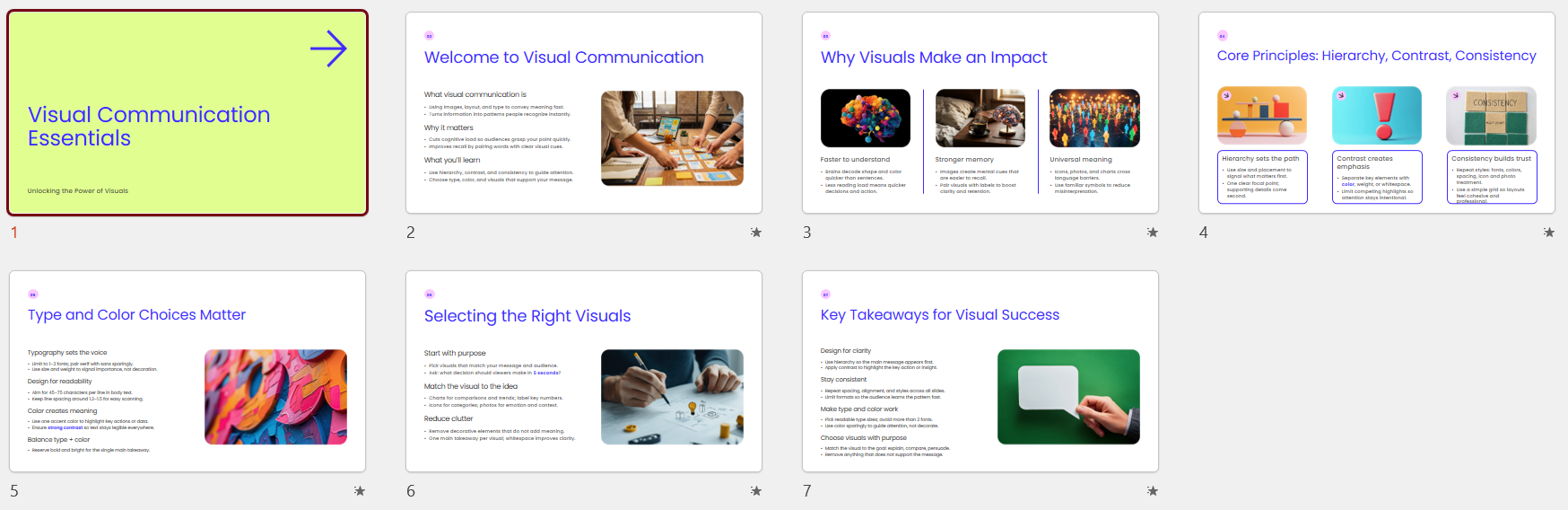
Adobe Express - 7/10
Adobe’s AI presentation maker can turn a prompt or existing files into an editable presentation draft. You get to choose from a range of templates before customising the result. I have a paid version of this, so check the current plan and feature limits before committing to a workflow. Adobe Express AI presentation maker.
It generated 7 slides when I had asked for 6 but that’s not a deal-breaker. I like the clean professional design with strong headline and inclusion of imagery.
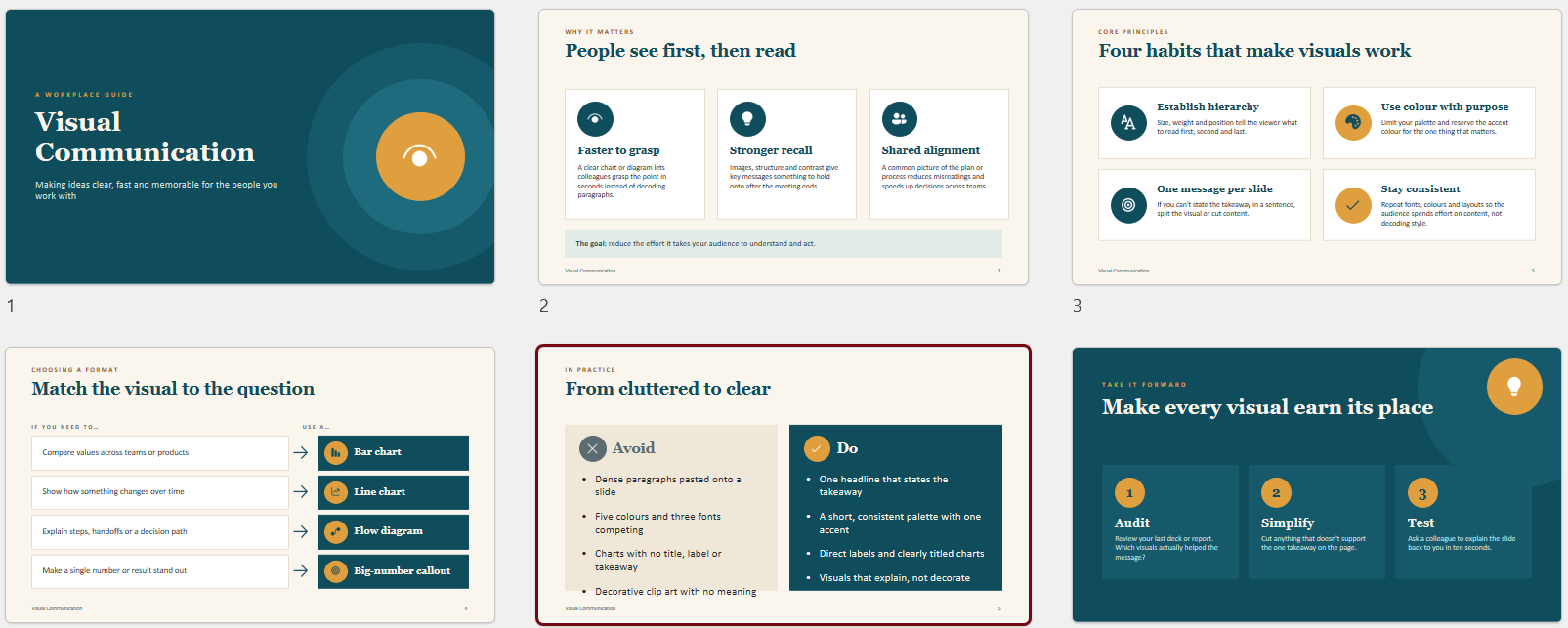
Copilot – 7/10
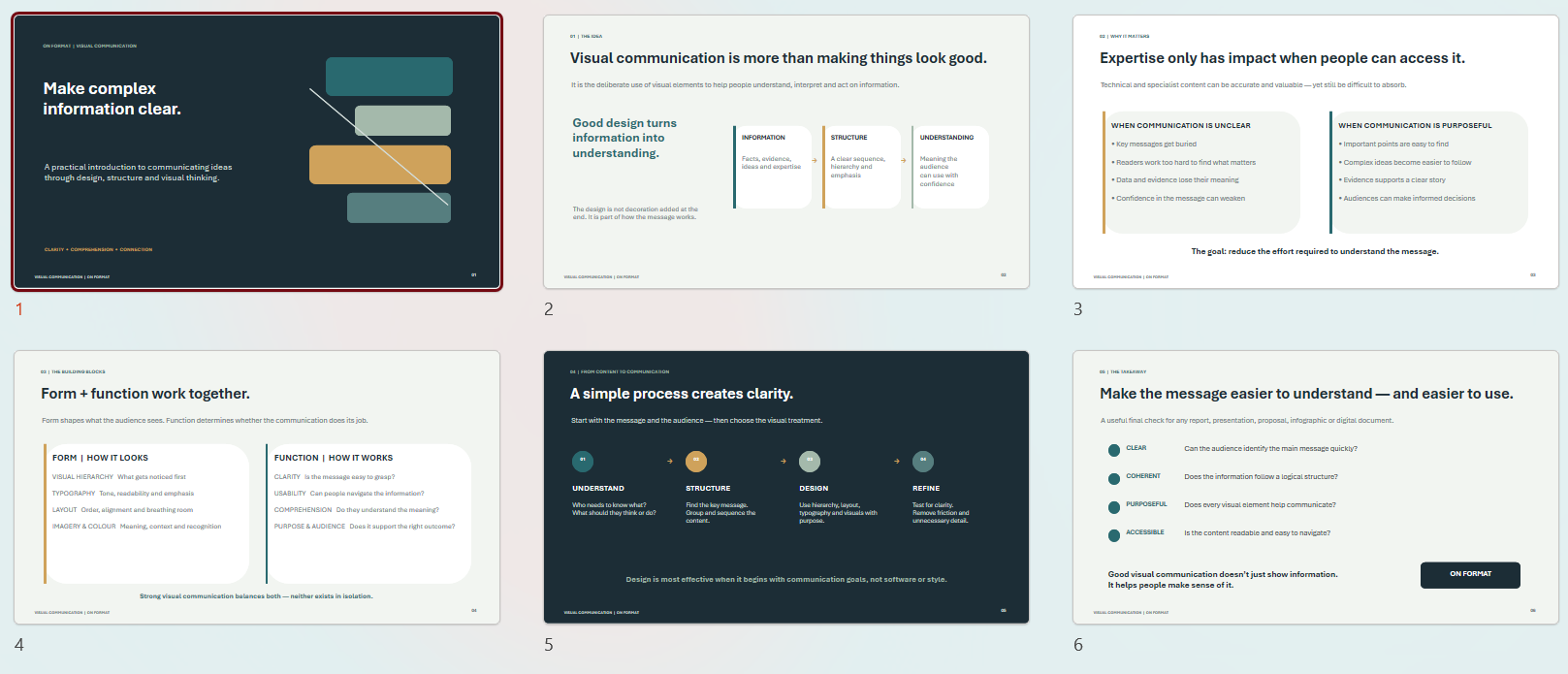
I like that Copilot asked questions on the audience, the tone, and design before generating the design. The slides used strong contrast and a clear visual hierarchy, making them easy to read.
You’ll need a Microsoft subscription to access Copilot within PowerPoint. Check what’s available Microsoft’s presentation guidance.
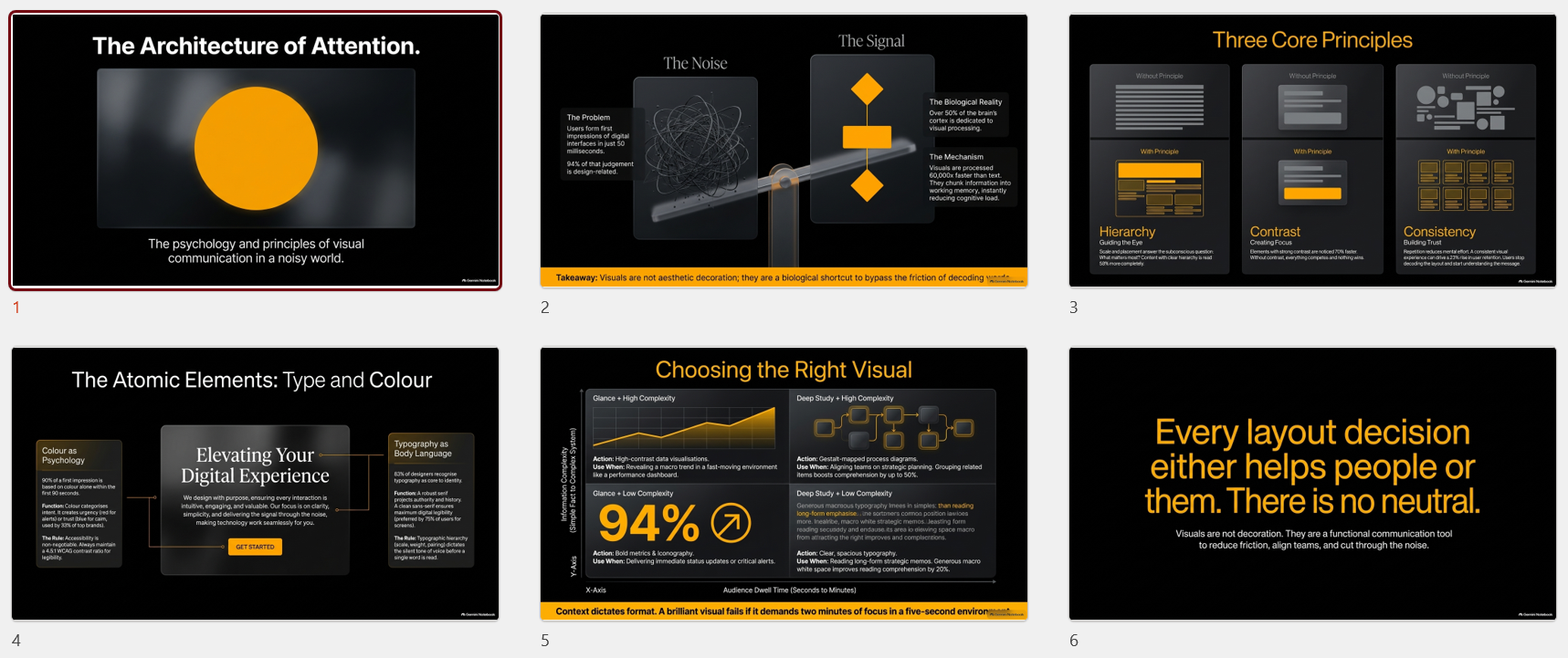
Gemini - 2/10
This was my least favourite result as the slides weren’t editable. The slides were way too cluttered and the text was tiny. No one would be able to read in a presentation environment.
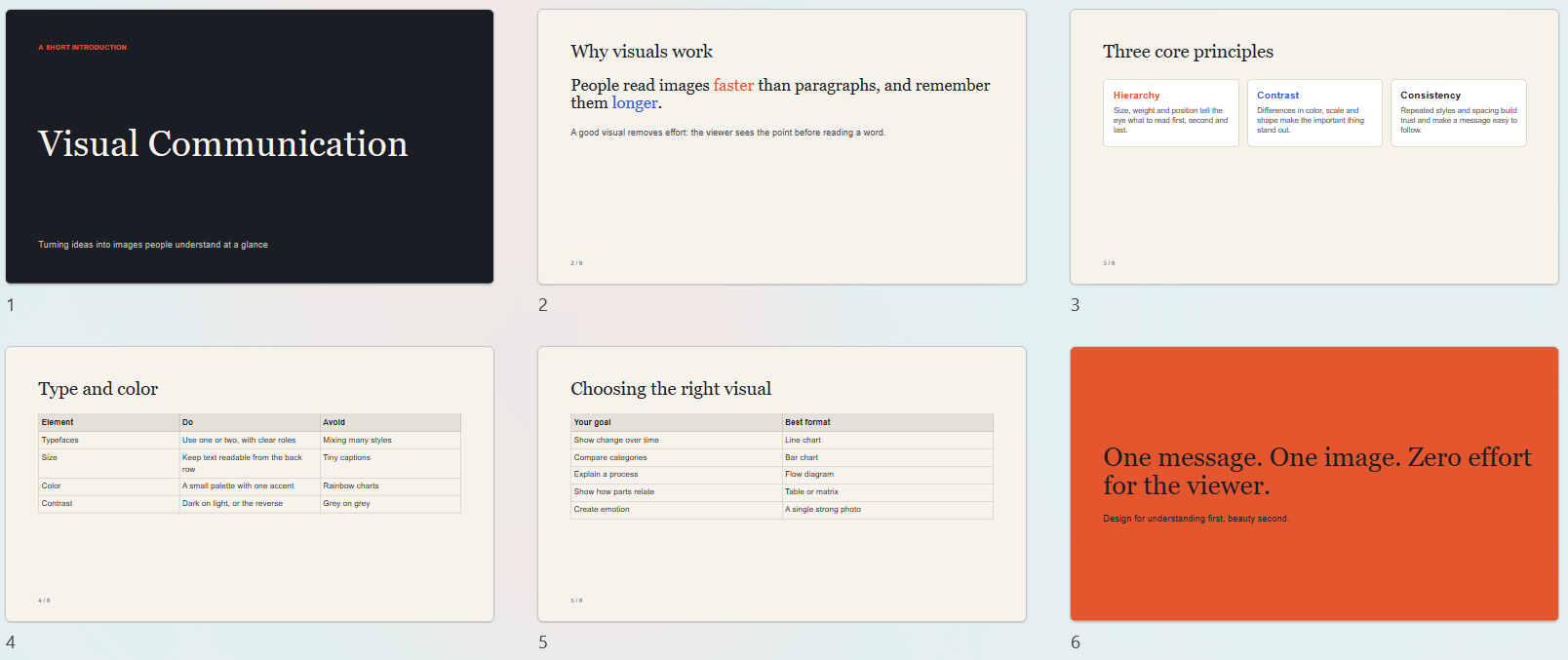
Claude - 4/10
I like the use of a neutral background but the slides are super bland without any imagery.
I used the free version of Claude, but I've seen stronger results from the paid version, particularly when organisations provide templates and design guidelines.
ChatGPT - 3/10
I almost didn’t have a result from ChatGPT. When prompted it just showed a blue pulsing dot for a few hours, highlighting you can’t always rely on free tools to speed up your productivity.
The result felt generic and lacked the visual interest needed to keep an audience engaged.
What I learned
The best results came from the paid subscriptions (Adobe Express and Copilot).
They provide a good starting point, but all have design issues.
For example, as a general rule, I wouldn't use text smaller than 18pt in a live presentation environment. Several of the AI-generated presentations ignored this principle, making them difficult to read from a distance.
AI-generated presentations can suffer from repetitive structures, superficial bullet points, and visually sterile layouts.
Successful presentations need to reflect your business and that’s where having a presentation template or brand guidelines is hugely beneficial.
A quick visual communication test for your presentation:
Can someone read this from the back of a room?
Do I know the main message within three seconds?
Is every image helping tell the story?
Are the AI generated images, charts or graphs accurate?
What would I delete from this slide?
Does this presentation reflect the standards of our business?
A simple workflow that works
Start with your own material. The best presentations come from real content such as reports, data and notes, not a blank prompt.
Provide brand guidelines or a presentation template. Provide your AI tool with your brand kit, templates, and style guidelines to generate presentations that look and feel like your business rather than a generic AI output.
Give clear instructions. Specify the audience, purpose, length and tone.
Edit ruthlessly. Treat the output as a strong first draft, not a finished product. Check all the content and diagrams. I’m sure you have all experienced when AI makes things up!
Add your own voice. Case studies, local examples and personal stories are what make a presentation memorable, and AI can't supply those for you.
Final thoughts
AI presentation tools have improved rapidly and can now generate editable slides in minutes. They are excellent for creating a first draft, exploring structures and overcoming the blank-page problem.
However, none of the tools I tested could consistently produce a presentation that I would send directly to a client or present without significant editing.
You’ll still need human judgement, clear source material and an understanding of the audience. AI can help you create slides faster. It cannot yet replace the thinking that makes a presentation compelling.
Ready to move beyond the first draft? Talk to me about your next business presentation or presentation template that will help you produce cohesive on-brand slides that look and feel like you (not those generic sterile AI slides).
